Authentication
MediaManager supports multiple authentication methods. Email/password authentication is the default, but you can also enable OpenID Connect (OAuth 2.0) for integration with external identity providers.
All authentication settings are configured in the [auth] section of your config.toml file.
General Authentication Settings ([auth])
token_secret
Strong secret key for signing JWTs (create with openssl rand -hex 32). This is a required field.
session_lifetime
Lifetime of user sessions in seconds. Default is 86400 (1 day).
admin_emails
A list of email addresses for administrator accounts. This is a required field.
email_password_resets
Toggle for enabling password resets via email. If users request a password reset because they forgot their password, they will be sent an email with a link to reset it. Default is false.
OpenID Connect Settings ([auth.openid_connect])
OpenID Connect allows you to integrate with external identity providers like Google, Microsoft Azure AD, Keycloak, or any other OIDC-compliant provider.
enabled
Set to true to enable OpenID Connect authentication. Default is false.
client_id
Client ID provided by your OpenID Connect provider.
client_secret
Client secret provided by your OpenID Connect provider.
configuration_endpoint
OpenID Connect configuration endpoint URL. Note the lack of a trailing slash - this is important. It usually ends with .well-known/openid-configuration.
name
Display name for the OpenID Connect provider that will be shown on the login page.
Configuration for your OpenID Connect Provider
Redirect URI
The OpenID server will likely require a redirect URI. This URL will usually look something like this:
Authentik Example
Here is an example configuration for the OpenID Connect provider for Authentik.
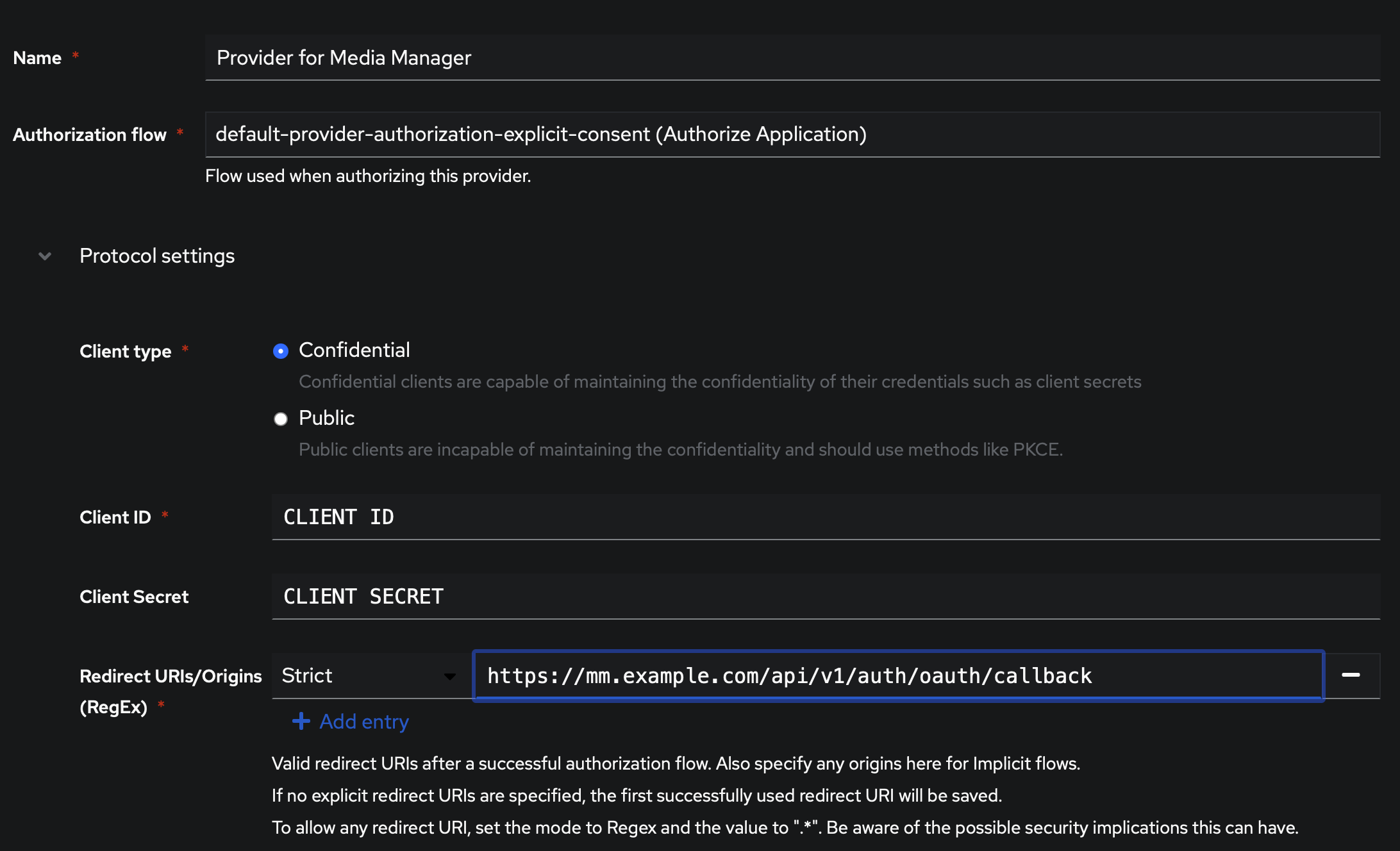
Example Configuration
Here's a complete example of the authentication section in your config.toml: